Auto Trend Channel Indicator MT5
Platform: MT5 Type: Channel Last update: November 29, 2025The Auto Trend Channel Indicator for MT5 analyzes price points and automatically draws trendlines that form a price channel. These trendlines act as dynamic support and resistance levels.
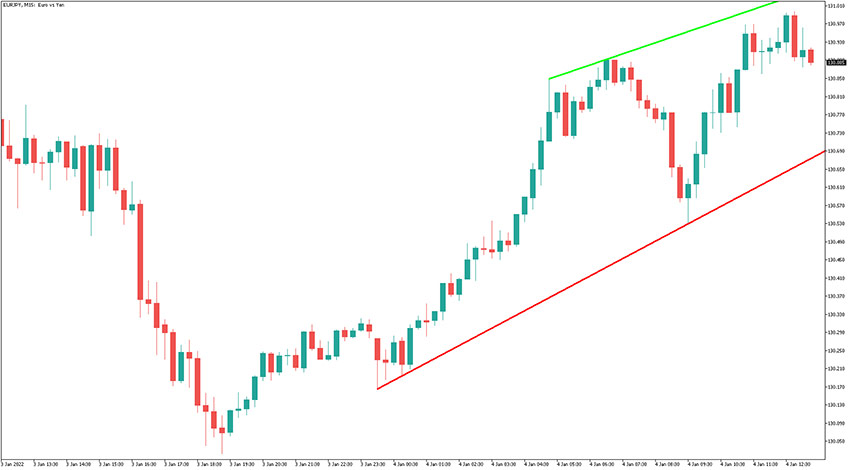
Example chart:
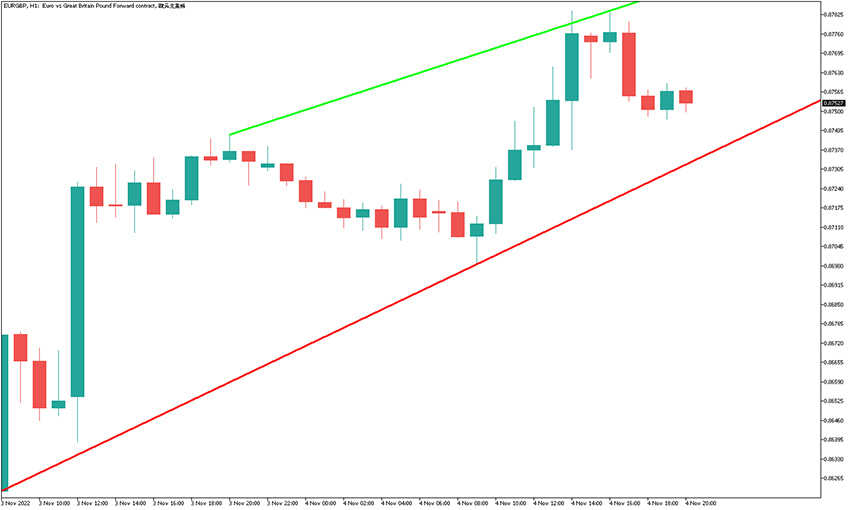
How to use the Auto Trend Channel Indicator for MetaTrader 5?
The idea behind trading with the auto trend channel indicator is about how price interacts with the green and red trendlines it plots. These interactions often create trade opportunities. However, as new extremums form the channel’s slope may change so traders need to account that.
There are multiple strategies for utilizing this indicator, including:
- Reversal trading – observe price action as candlesticks approach the channel boundaries. Once you see signs of an upcoming reversal, such as a pin bar with long wicks, you can consider taking a trade toward the opposite band.
- Trend following – angle of the auto trend channel suggests dominant trend direction and you can consider taking a trade in agreement with it and without risk of going counter-trend.
- Breakout trading – when the price approaches one side of the channel, it may break through it. This requires close attention to price action, as two scenarios are possible: a breakout or a reversal. Signs of a potential breakout include strong impulsive candles or patterns such as a bullish or bearish engulfing formation.
Real-life examples
Take a look at this AUD/USD M1 chart.
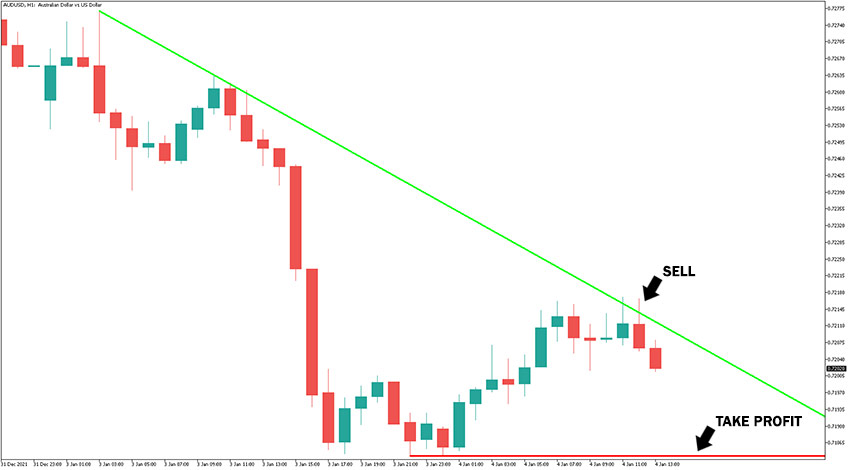
As you can see, there is a clear downtrend and the indicator recognized a descending triangle bearish pattern.
The price was perfectly rejected from the green trendline, making it a good spot to enter a short trade. A stop-loss should be placed a few pips away from the green line and the red line was a good area to take profit, but a further breakout to the bottom was possible.
Submit your review | |