Trend Envelopes Indicator MT4
Platform: MT4 Type: Trend Last update: August 30, 2026The Trend Envelopes Indicator for MT4 helps traders spot the underlying trend with clear, easy-to-read signals.
It works well as a trend filter and can be layered onto an existing strategy to help confirm direction before entering a trade.
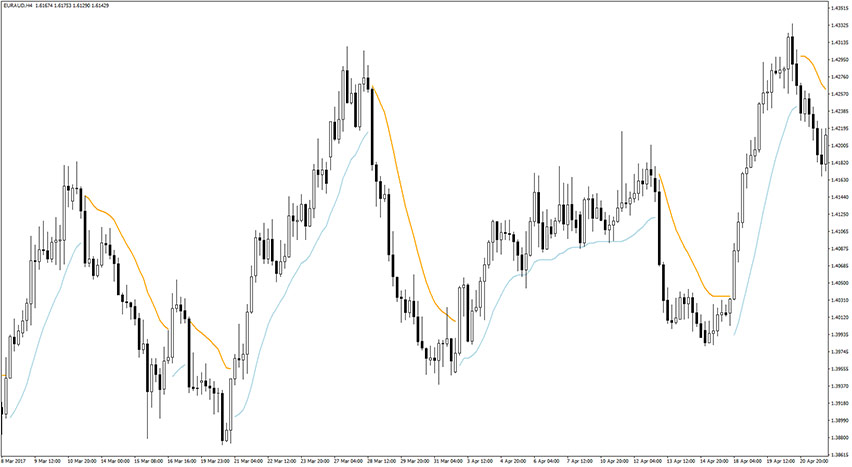
Example chart:
How to use Trend Envelopes Indicator for MT4?
The Trend Envelopes Indicator plots a dynamic, price-following band that works somewhat like a Moving Average.
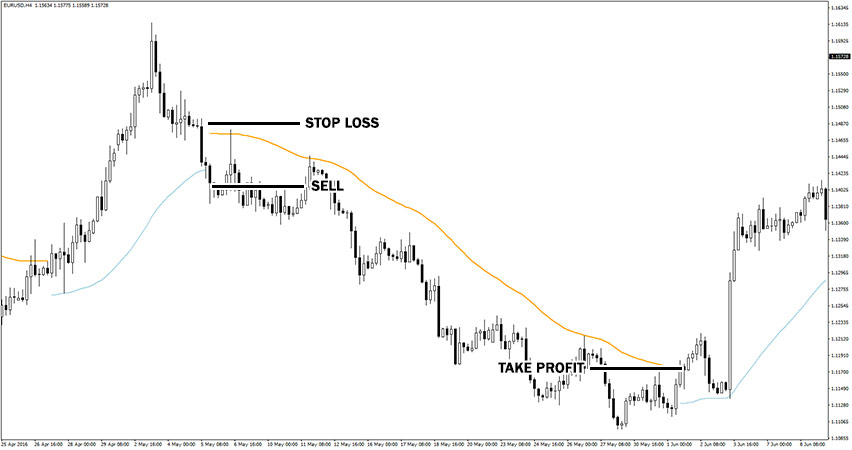
Price closing and holding above the envelope signals a bullish trend and points to buy opportunities. Price closing and holding below the envelope signals a bearish trend and points to sell opportunities.
The envelope line itself is color-coded: light blue reflects upward momentum, while orange reflects downward momentum.
Trading signals
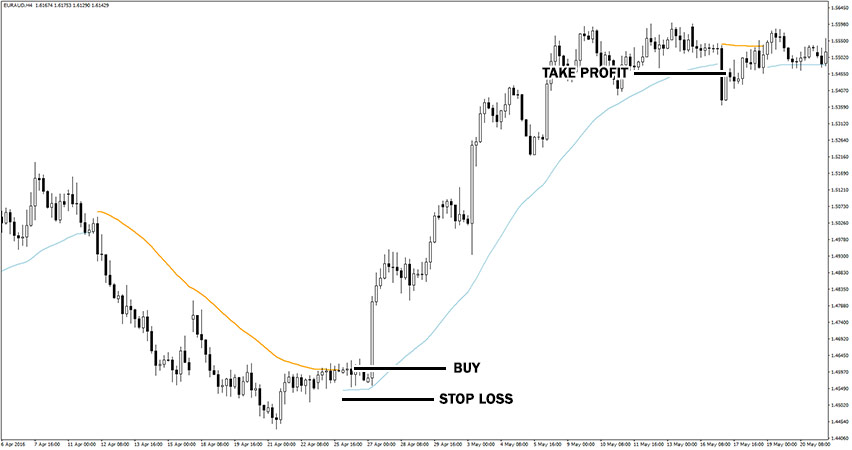
For a buy trade, wait for the envelope line to turn light blue with price holding above it, then enter long.
Set your stop loss a few pips below the band and take profit either on the opposite signal or once you’ve hit a risk-to-reward ratio you’re comfortable with.
This EUR/AUD H4 chart shows example long opportunity.
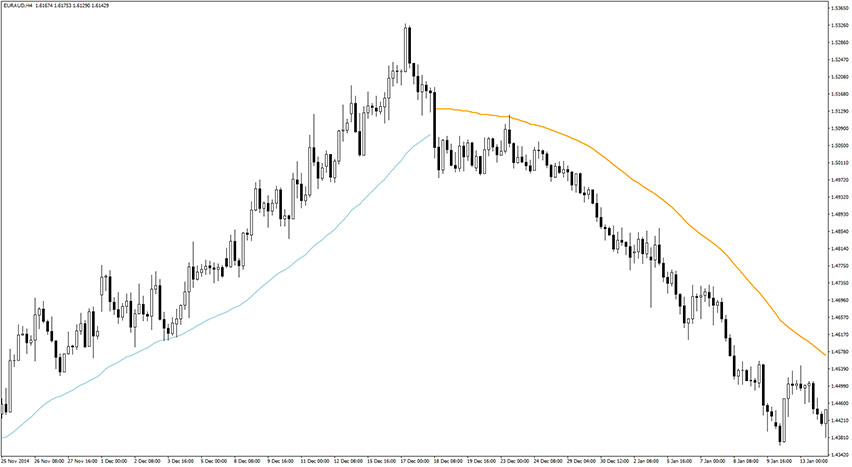
For a sell trade, the logic mirrors this: wait for the envelope to turn orange with price holding below it, then enter short.
Set your stop loss a few pips above the band, using the same approach for your take profit.
This EUR/USD H4 chart shows example short opportunity.
Settings
The indicator’s sensitivity is controlled through the MA_Period setting. Lowering it suits scalpers who want faster signals. Raising it suits swing traders looking for smoother, longer-term reads.

Conclusion
The Trend Envelopes Indicator for MetaTrader 4 covers the full trade decision in one tool: direction, entry, exit and stop loss level.
As a trend-follower, it performs best during strong momentum and works across any currency pair or timeframe.