Keltner Channel With Signals Indicator MT5
Platform: MT5 Type: Channel Last update: November 1, 2026The Keltner Channel With Signals Indicator for MT5 plots a Keltner Channel around a smoothed Jurik moving average.
It also marks trend changes with star signals.
This makes it easier to spot where a new move begins without having to interpret the lines yourself.
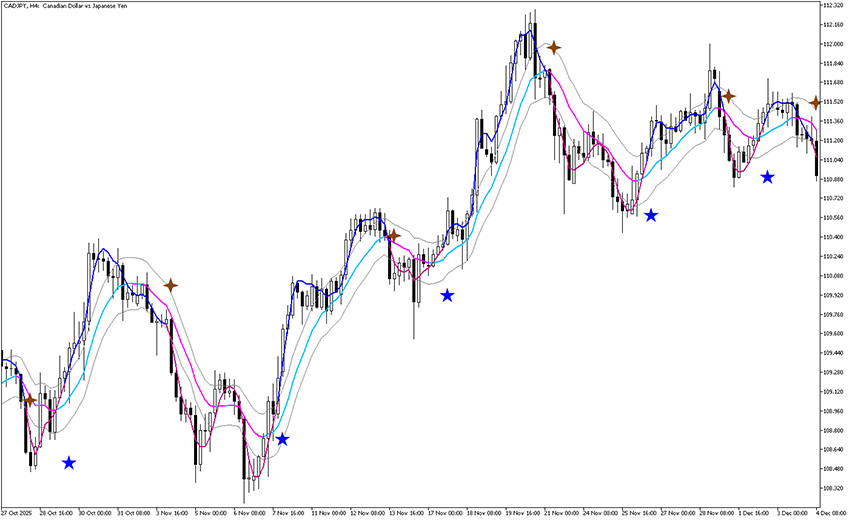
Example chart:
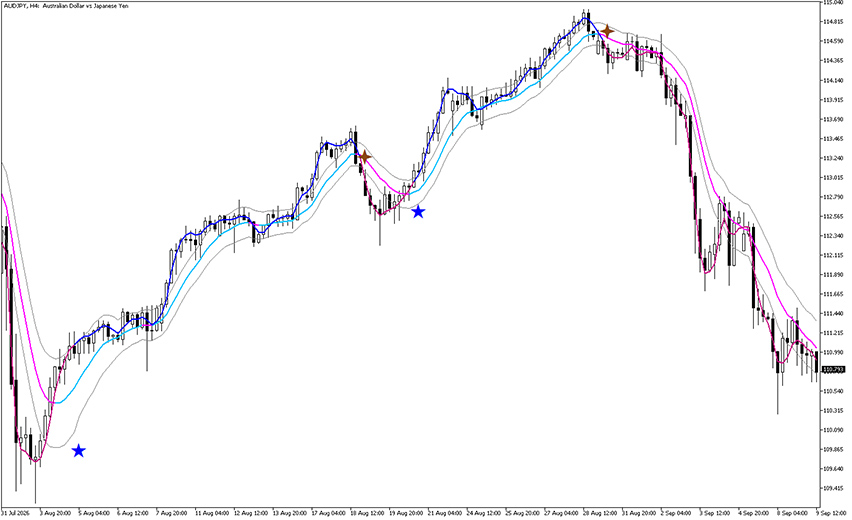
How to use the Keltner Channel With Signals Indicator for MT5?
The indicator combines two layers.
The Keltner Channel is built from a moving average in the middle, with an upper and lower band set at an ATR distance from it.
On top of that sits a Jurik moving average, which follows price with less lag and less noise than a standard average.
The Jurik line changes color with the trend and a star appears on the chart when a new trend is confirmed.
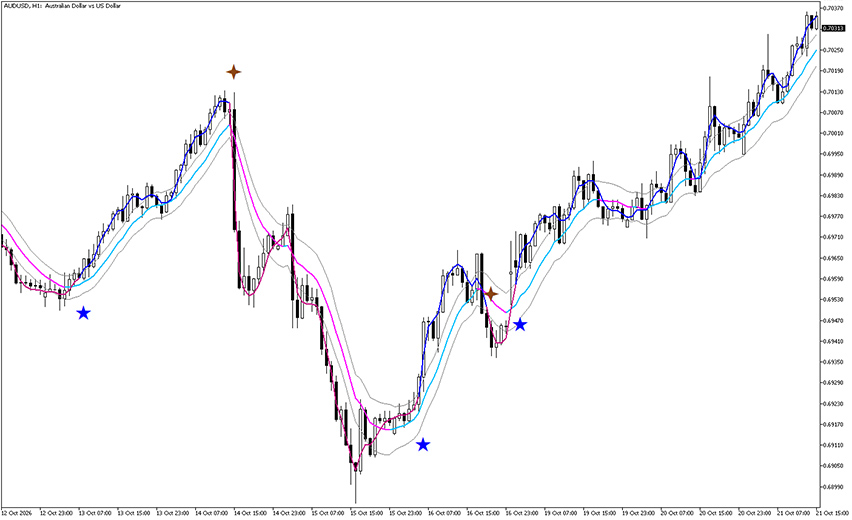
As you can see on the AUD/USD H1 chart above, the Jurik line turns blue during rallies and magenta during declines.
Blue stars appear near the lows, just as price starts climbing.
Brown stars appear near the highs, right before the sharp drops.
Trading the signals
For a long trade, wait for the Jurik line to switch from magenta to blue and for price to close above the middle and upper Keltner lines.
A blue star confirms the setup.
Enter at the close of that candle, and place your stop loss below the previous swing low or the lower Keltner band.
For a short trade, the logic works in reverse.
In both cases, exit when the opposite signal appears.
This lets you stay in the trend until it actually changes, instead of closing early.
Bottom line
The Keltner Channel With Signals Indicator for MT5 works best in trending markets, where the stars line up with real shifts in direction.
In sideways or choppy conditions, the Jurik line can flip back and forth, so avoid trading every star blindly.
Confirm signals with price action or support and resistance levels and keep your position size under control.