Forex Goiler Indicator
Platform: MT4 Type: Market Levels Last update: July 19, 2026The Forex Goiler Indicator for MT4 is responsible for highlighting trading levels and providing take profit, stop loss levels.
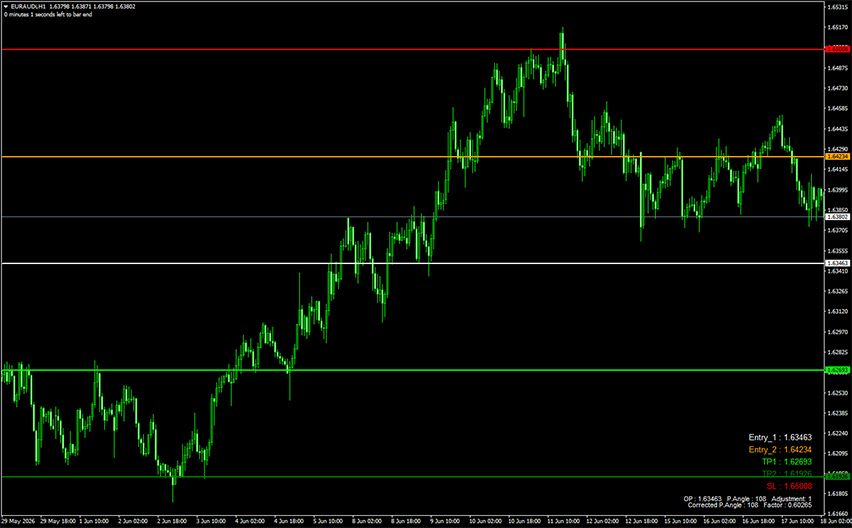
Example chart:
How to use the Forex Goiler Indicator for MT4?
Signals appear at the start of each market day, based on your GMT offset. If your GMT is greater than 0, note that Monday’s signal may actually begin near the end of Friday’s session.
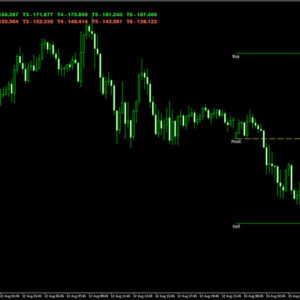
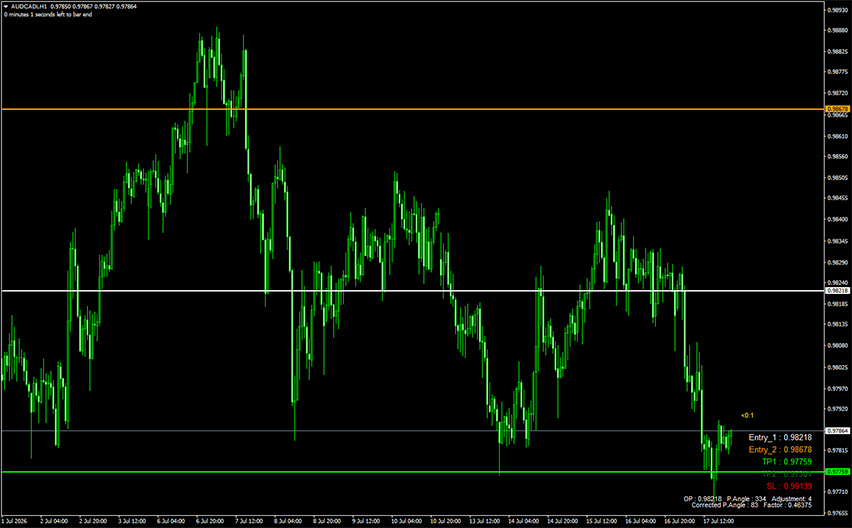
Each Forex Goiler signal shows up in the bottom right corner as BUY or SELL, along with entry, exit, and stop loss levels—all color-coded and mirrored on the chart itself.
The white line marks Entry #1, where the signal begins. The orange line is Entry #2, a backup entry point you can use if price shows opposing momentum or shifts against the Forex Goiler signal.
There are two green take-profit lines. TP #1 pairs with Entry #1 (white line). TP #2 is for a more aggressive exit, or can be combined with a trailing stop, partial take-profit, or moving to breakeven once TP #1 is hit.
If you entered at Entry #2 (orange), your first take-profit target becomes the white line (Entry #1). From there, close the trade or trail it further, depending on your style.
The red line is the recommended stop loss. Don’t use it as an entry point as price may keep moving against the signal past that level.