
Category: Volatility Indicators
MT5 MinPriceChange Signal Indicator
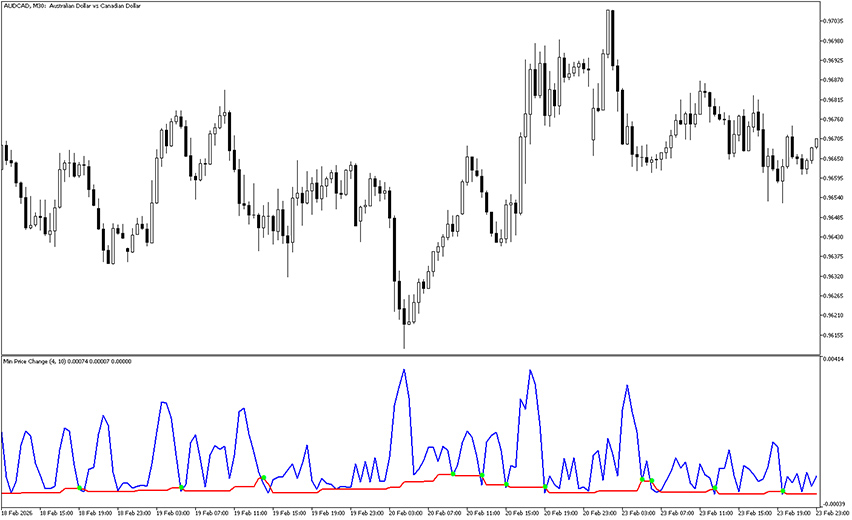
The MinPriceChange Indicator for MT5 helps detect when the market moves from a flat (sideways) phase into a new movement, which is either a continuation of the current trend or an reversal. Example chart: How to use MT5 MinPriceChange Signal Indicator? The idea behind this tool is simple: markets move sideways for some time, then […]
Vertex Mod Indicator MT5
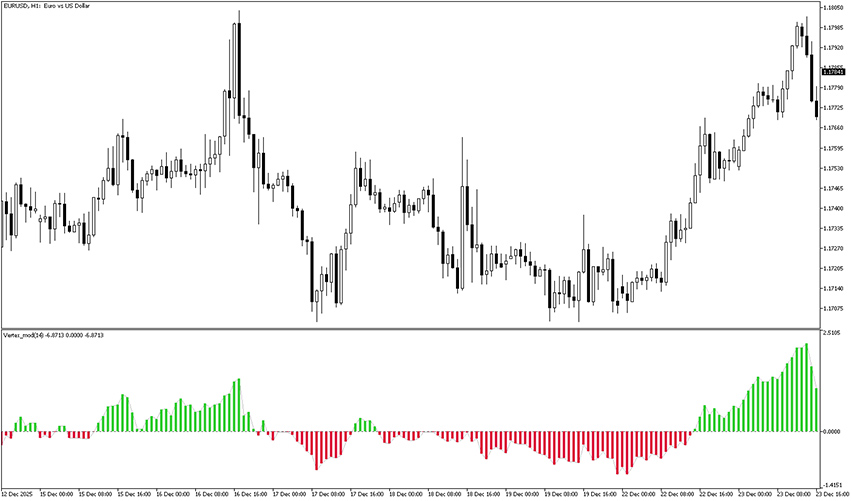
The Vertex Mod Indicator for MT5 is a volume analysis tool that’s able to recognize strength of ongoing and past trends. Example chart: How to use the Vertex Mod Indicator for MT5? The Vertex Mod Indicator for MetaTrader 5 reveals trend momentum by displaying colorful volume bars in a seperate window placed below the main […]
Volatility Stop Indicator MT5
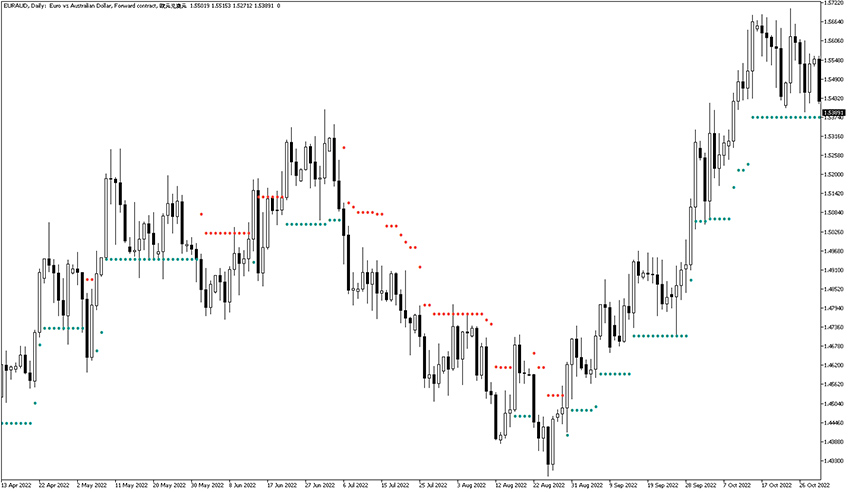
The Volatility Stop Indicator for MT5 helps traders to define their stop loss levels. It’s also useful for maximizing profits as it works well as a trailing stop. Example chart: How to use the Volatility Stop Indicator for MetaTrader 5? Once the valatility stop indicator is activated, it displays a series of orange and green […]
Laguerre Volume Indicator

The Laguerre Volume Indicator for MT5 performs volume analysis and uses the laguarre filter in order to recognize overbought and oversold levels and potential turning points in the market. In other words, this tool provides a clear and actionable view of market trends and a high likelihood of their exhaustions. Example chart: How to understand […]
Buy Sell Volume Indicator MT5

The Buy Sell Volume Indicator for MT5 provides bullish and bearish volume readings, based on relation between price and its average. Its readings are based on channel formation containing histo bars with a baseline in the middle. The X-axis represents time accounting interval such as 1-hour, 4-hour, or daily period. The Y-axis displays the volume […]
Market Sessions Indicator
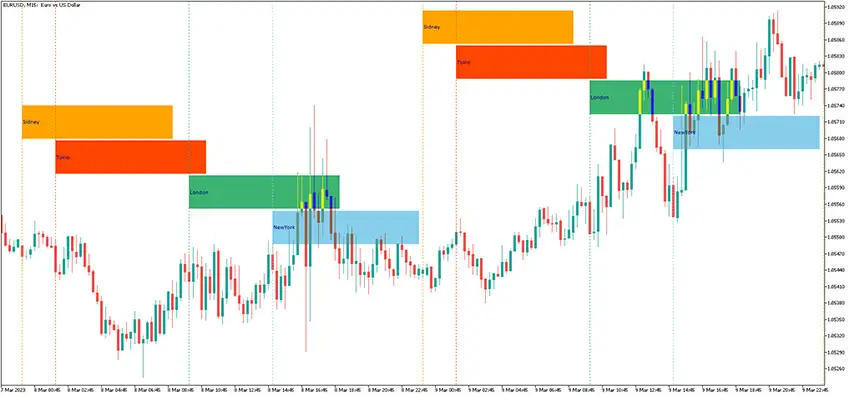
The Market Sessions Indicator for MT5 displays separate forex trading sessions and it’s available to free download. What’s more, it also shows the maximum and minimum prices of the preceding market session. Trading conditions are more favorable during certain sessions, which are marked by higher market liquidity. Understanding market sessions As you can see, that […]
Candle Time And Spread Indicator
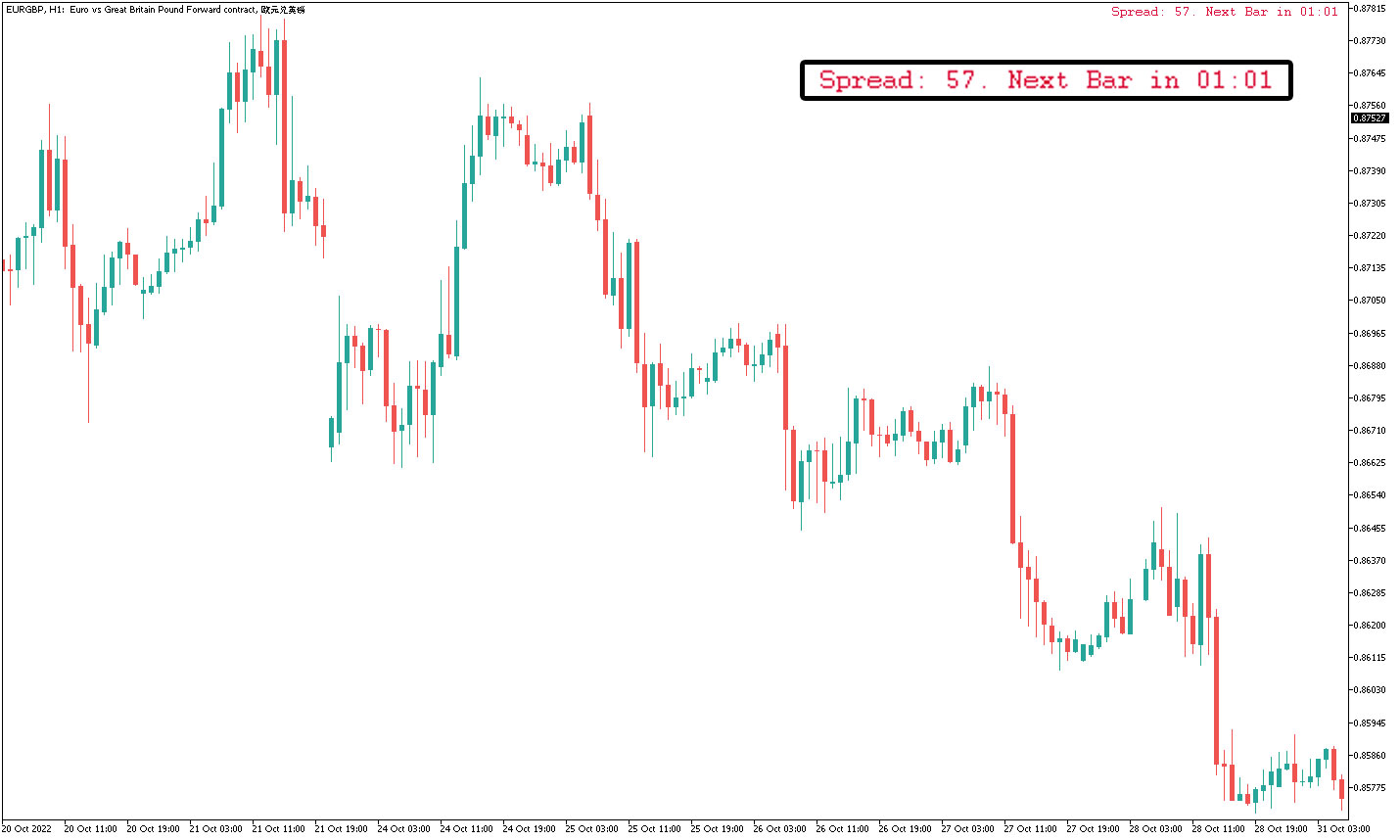
The Candle Time And Spread Indicator is a useful informational tool that displays the time left to the bar end and the current spread in real-time. It is a great supplementary gauge in a trading endeavor. Example charts Check charts of the Candle Time And Spread Indicator in action. Settings There are available settings: the […]
Relative Volatility Index Indicator MT5
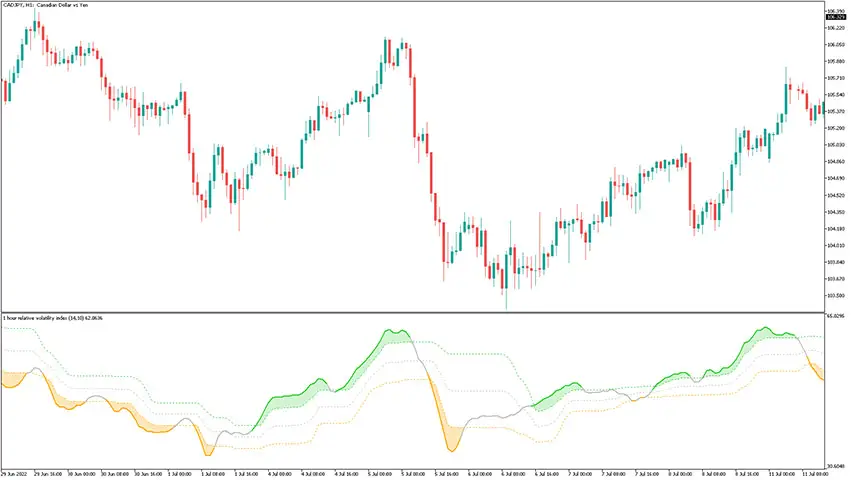
The Relative Volatility Index Indicator for MT5 consists of two color-filled floating areas which suggest whether the current volatility is bullish or bearish. The indicator is originally coded to support multi-time frame analysis and provides alerts. Example chart: How to use the relative volatility index indicator for mt5? When the floating area is greenish – […]
WPR Histogram Vol Indicator MT5
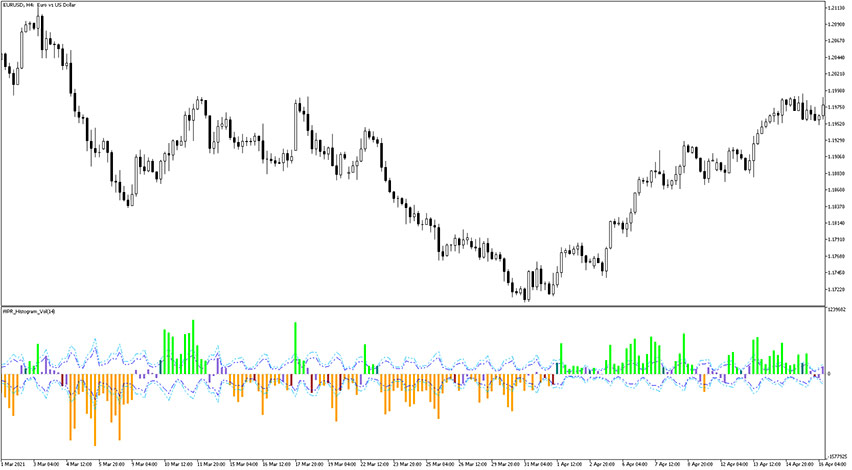
The WPR Histogram Vol Indicator for MT5 is, as the name suggests, a forex volume indicator based on Williams Percentage Rate. It is developed on the following formula: (WPR + 50) * Volume. For quite understandable reasons, the recalculation of overbought and oversold levels in such a modified oscillator should be performed using the same […]
Candle Ratio Indicator
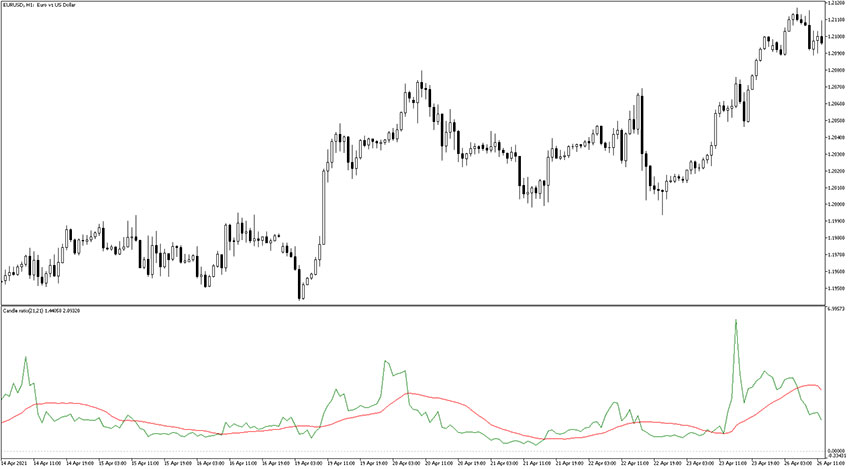
The Candle Ratio indicator measures the ratio that exists between the bullish and bearish candlesticks over the defined period of time. It consists of two lines which are colorized red (smoother line) and green (sensitive line). The default indicator settings can be modified directly from the input tab. Feel free to experiment with the settings […]
